10 Common LED Beginner Mistakes (And How to Avoid Them)
We’ve all been there — you wire up your first addressable LED project, upload the code, and… nothing. Or worse, a flickering mess, a buzzing PSU, or that unmistakable smell of burnt silicon. LED projects look simple — connect power, data, ground — but the details matter. After helping hundreds of people on forums and building countless strips ourselves, these are the ten mistakes we see most often. Skip past them and save yourself the smoke.

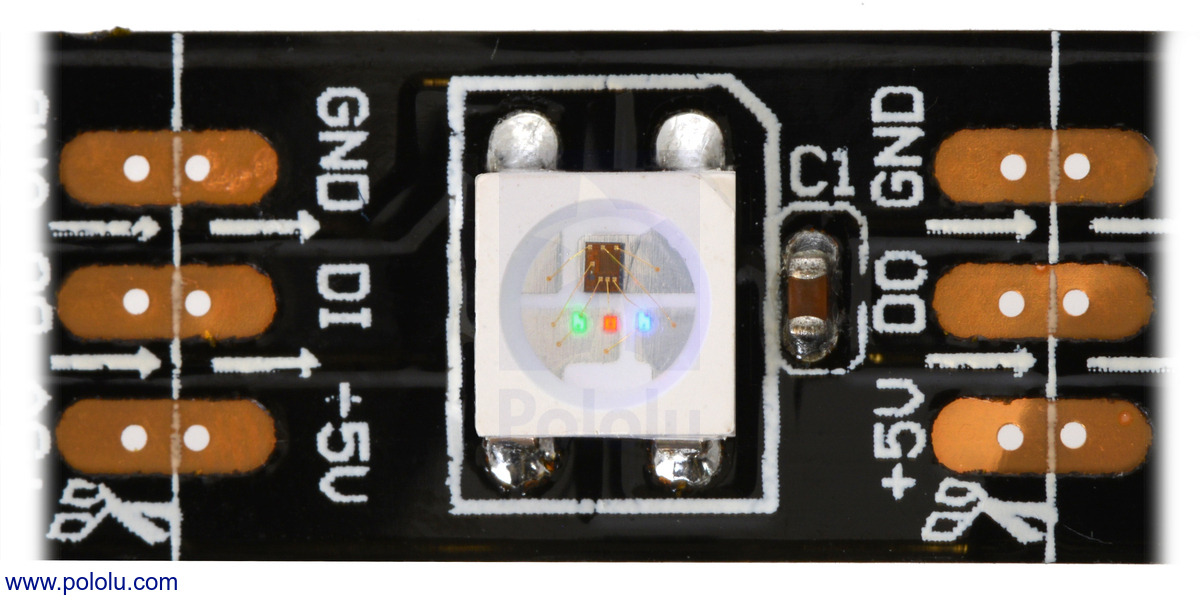
1. Using the Wrong Voltage Strip
This is the one that kills hardware. Grab a 5V strip — say, a WS2812B — and plug it into a 12V power supply, and you get instant magic smoke. The ICs fry, the strip is ruined, and sometimes the controller goes with it. Flip it around — 12V strip on a 5V supply — and it barely glows, if at all. Always, always check the voltage rating printed on the strip itself before connecting power. When in doubt, meter it.
2. Undersizing the Power Supply
The math seems easy: 100 pixels × 60mA = 6A, so a 6A PSU should work, right? Nope. Running a power supply at 100% of its rated load leaves zero headroom. It runs hot, the output voltage sags under load, and cheap supplies fail within hours. Apply the 80% rule — if your project needs 6A, buy a supply rated for at least 7.5A (6 ÷ 0.8). Your LEDs will be happier, your PSU will run cooler, and you won’t be replacing capacitors next week.
3. Forgetting the Common Ground
You’ve connected the 5V and the data line from your ESP32 to the LED strip. You hit upload. Nothing happens. The most common culprit? No ground connection. The data signal needs a voltage reference, and without a shared ground between the controller and the strip, that reference floats. The pixels either stay dark, blink randomly, or act like they’re possessed. Every time you run a data line, run a ground wire alongside it.
4. Soldering at Too High a Temperature
New soldering iron? Crank it to 450°C and go. We’ve all done it. The problem is that LED strips use thin, fragile copper pads on flexible PCBs. Too much heat lifts those pads in a split second, and once the copper is gone, you’re splicing into the next pixel over. Keep your iron at 300–350°C, use flux, and let the solder flow onto the pad — don’t force it. If it takes more than two seconds, your tip temperature isn’t the problem; your technique is.
5. Skipping the Fuse
It’s only a little 5V strip, nothing bad will happen. Then a stray wire touches the wrong pad, the current spikes, and the strip turns into a very expensive fuse. A proper inline fuse (rated for your PSU) within 15cm of the power source costs a dollar and takes two minutes to install. Use ATO or mini-blade holders on the positive line. For a 10A supply, use a 10A fuse. For multi-injection runs, fuse each injection point. Your insurance company will thank you.
6. Ignoring Voltage Drop
Powering 300 WS2812B pixels from one end with skinny 22 AWG wire is a setup for disappointment. By pixel 100, the voltage has dropped below 4V. Colors shift toward yellow, whites look pink, and pixels near the end flicker or shut off entirely during bright scenes. Inject power every 3 meters for 5V strips and every 5 meters for 12V strips. Use 18 AWG or thicker for injection runs. If your far-end whites look warm when they should be cool, you’ve got voltage drop.
7. Mixing LED Types on One Output
WS2812B and WS2815 are both “addressable LEDs,” so you can just daisy-chain them on the same data pin, right? Not quite. Different chipsets use different timings — some run at 800kHz, others at 400kHz. WS2815 uses a different data protocol than WS2812B. When you mix them on the same line, the second type either shows garbage data or stays dark. Match your chipset across the entire run. If you need different types, use separate data pins and configure each output independently in WLED or your firmware.
8. Not Level Shifting 3.3V Data
Your Raspberry Pi or ESP32 GPIO pin outputs 3.3V logic. Your LED strip expects 5V data. Sometimes 3.3V works — for the first 10 pixels. Beyond that, the signal degrades, pixels flicker, colors come out wrong, and you spend hours debugging code that was never the problem. Use a level shifter between the controller and the strip. A 74HCT125 or SN74AHCT125 costs pennies and converts 3.3V to 5V cleanly. Wire it once and never think about it again.
9. Using WiFi in a Crowded RF Environment
WLED on an ESP8266 in an apartment building with 30+ WiFi networks visible is a recipe for dropped frames and unresponsive LEDs. The ESP8266 has notoriously weak WiFi fallback — once it loses the connection, reconnecting is hit or miss. Use an ESP32 instead, which has better WiFi handling, Bluetooth backup, and more memory for effects. For permanent installations, hardwire with Ethernet or use a WT32-ETH01. Your LED show shouldn’t depend on whether your neighbor is streaming 4K.
10. Not Sealing Outdoor Connections
Electrical tape for outdoor LED connections is a temporary fix that turns permanent — until the first rain. Water seeps in through the tape edges, hits the exposed copper, and corrosion takes over within weeks. Green crust forms on the pads, resistance spikes, and pixels start dying one by one. Use silicone-filled adhesive heat shrink for individual connections, IP68 junction boxes for splices, and dielectric grease inside connectors. If you can’t waterproof it properly, bring it inside.